Payroll & Payslips
View your payslip, and (for admins) run payroll from attendance + leave. Payroll is estimation + export, not payroll-of-record.
Payroll
Payroll in wrrk generates pay estimates and payslips from your real attendance and approved leave — no re-keying. It's designed as an estimation and hand-off tool: it produces the numbers and payslips you export to your payroll processor, not a system-of-record that files taxes.
Viewing your payslip
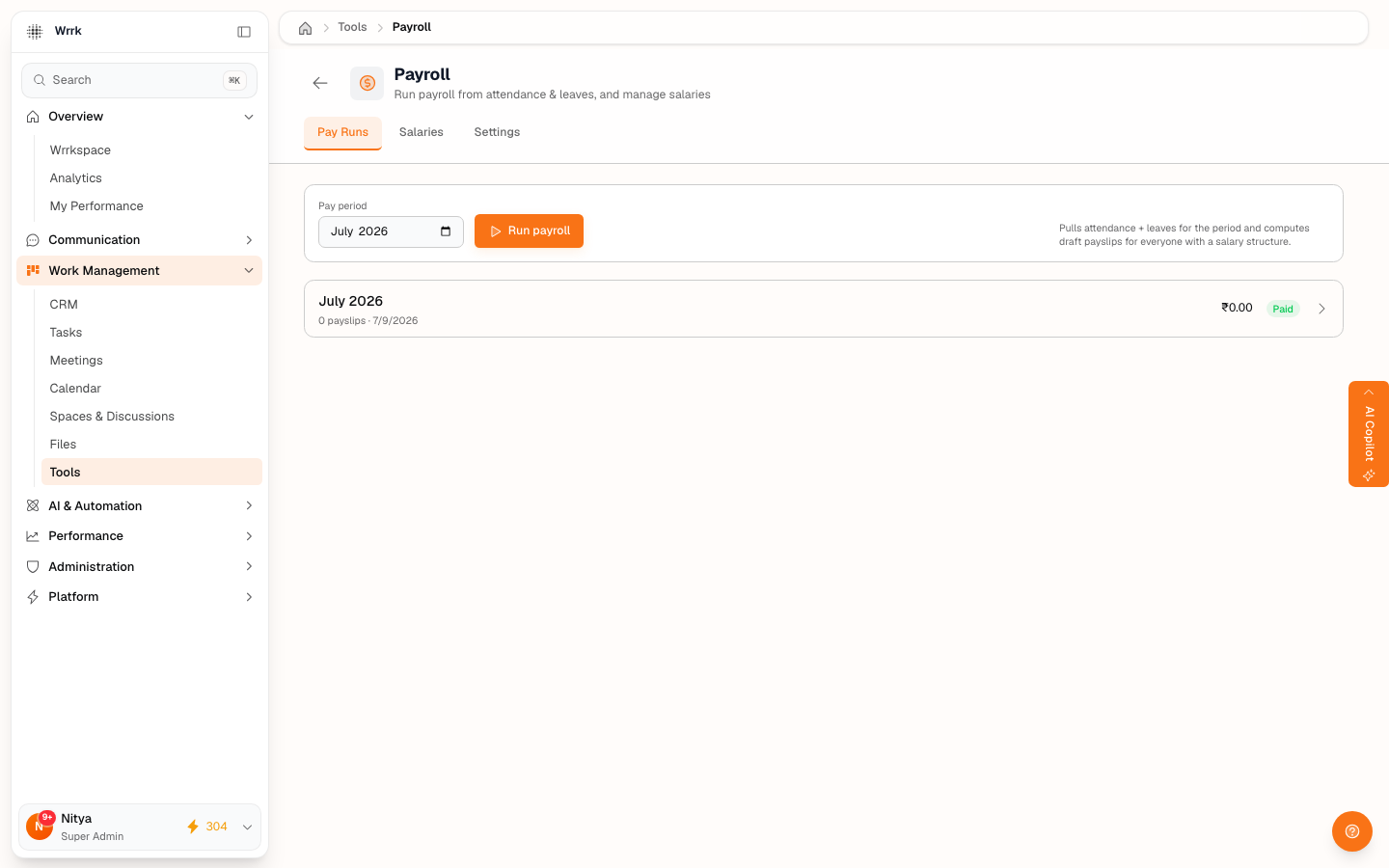
Open Tools → Payroll. Employees see their own recent payslips with the net pay, gross, and deductions for each period. Drafts aren't shown — only finalized payslips.
Running payroll (admins)
Payroll is restricted to admins (or anyone granted the payroll permission). A pay run:
- Pulls each employee's salary structure, attendance (present days, overtime), and approved leave for the period.
- Computes gross, loss-of-pay for unpaid absences, overtime, deductions, and net pay.
- Writes draft payslips you can review, then approve and mark as paid.
Salaries & settings
Admins set each employee's salary structure (base, earnings, deductions) — compensation is private to the admin who created it. Settings controls working days per month, rounding, and statutory presets. Statutory deductions (PF/ESI/PT/TDS) ship disabled by default and should be validated with your finance team before use.
Tags
Related Articles
HR & People: Attendance, Leave, Payroll & Feedback
A tour of wrrk's built-in HR suite — attendance, leave, payroll, and feedback — and who can see what.
Attendance: Live Status & Timesheets
How attendance works — automatic sessions, the live overview, correcting a session, and shift/holiday settings.
Leave Requests & Balances
Request time off, read your balances, and approve your team's leave — plus how leave policy is set.