LinkedIn free vs Premium, what changes for outreach
Free accounts cap personalized invites at 5/month. Tick the Premium checkbox in Settings to suppress the warning.
LinkedIn free vs Premium, what changes for outreach
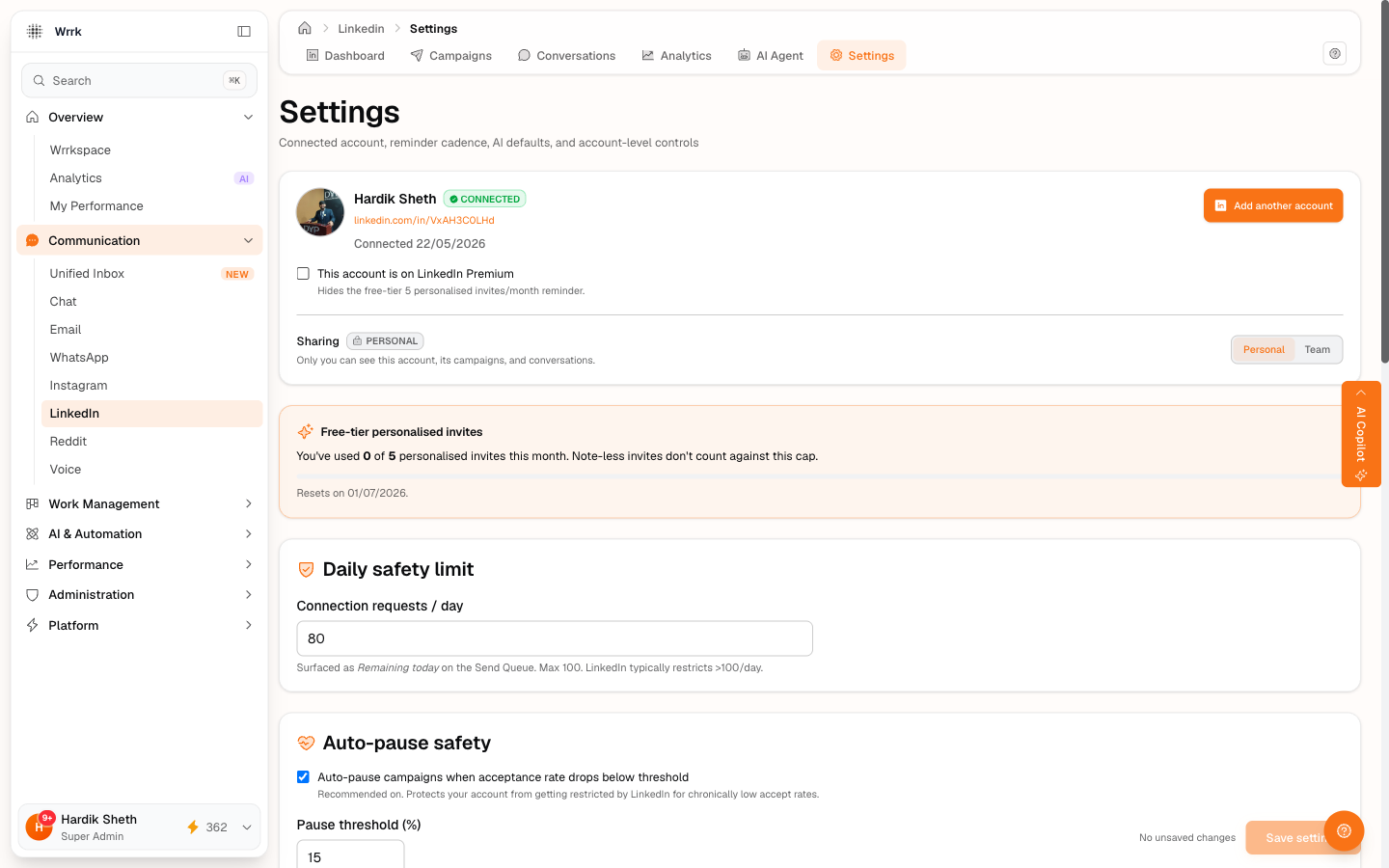
wrrk doesn't sell you a LinkedIn plan, you bring your own. But your plan affects what's possible and what wrrk should warn you about.
The 5-invites-per-month rule (free accounts only)
Free LinkedIn accounts can send 5 personalized connection invites per month. A personalized invite is one with an "Add a note" body. The limit doesn't apply to invites you send without a note, those are unlimited.
This means: on a free account, the connection note field on your campaign is precious. Burning your 5 monthly notes on low-priority prospects is a mistake.
What wrrk does about it
When the connected account is not flagged as Premium, every Send Queue card shows a small inline reminder under the invite note:
> "LinkedIn free accounts can send 5 personalized invites/month. Note-less invites don't count against the quota."
This is a hint, wrrk doesn't physically stop you. LinkedIn will reject sends past the cap on their side.
Telling wrrk you're on Premium
Open LinkedIn → Settings and tick the I'm on LinkedIn Premium checkbox. The hint disappears across the whole app for this account.
Untick it if you downgrade.
How wrrk knows
It doesn't, it's a self-declared flag. There's no LinkedIn API that exposes your plan tier at our access level. So if you tick it dishonestly, the reminder will be hidden and you'll burn the cap anyway. Be accurate.
What Premium changes (beyond the cap)
LinkedIn Premium / Sales Navigator unlocks InMail (paid messages to non-connections, monthly quota), advanced search filters, and "Open Profiles", but wrrk's outreach flow doesn't currently use InMail. We only support connection invites + DMs to existing connections. Premium's value to your wrrk workflow is mainly: more search filters in LinkedIn's own UI, and the lifted 5/month note cap.
Tags
Related Articles
Connect your LinkedIn account
Two-minute setup: sign in via OAuth, tick the Premium box if applicable, set your auto-pause threshold.
Launch a campaign and send invites
Launch flips status to running. The Send Queue is a scrollable list; pick a prospect, copy the note, open LinkedIn, paste, send, confirm via one of five buttons.