Connect your LinkedIn account
Two-minute setup: sign in via OAuth, tick the Premium box if applicable, set your auto-pause threshold.
Connect your LinkedIn account
One-time setup. Takes about two minutes.
Step 1, Open the LinkedIn module
Click LinkedIn in the left sidebar. If you have no accounts connected, the dashboard shows a Connect LinkedIn button.
Step 2, Sign in via Nango
Click Connect LinkedIn. A popup opens with LinkedIn's OAuth screen. Sign in with the LinkedIn account you'll use for outreach, then grant the requested scopes.
The popup closes automatically on success and the dashboard refreshes. Your account now appears under Connected Accounts.
Step 3, Configure account settings
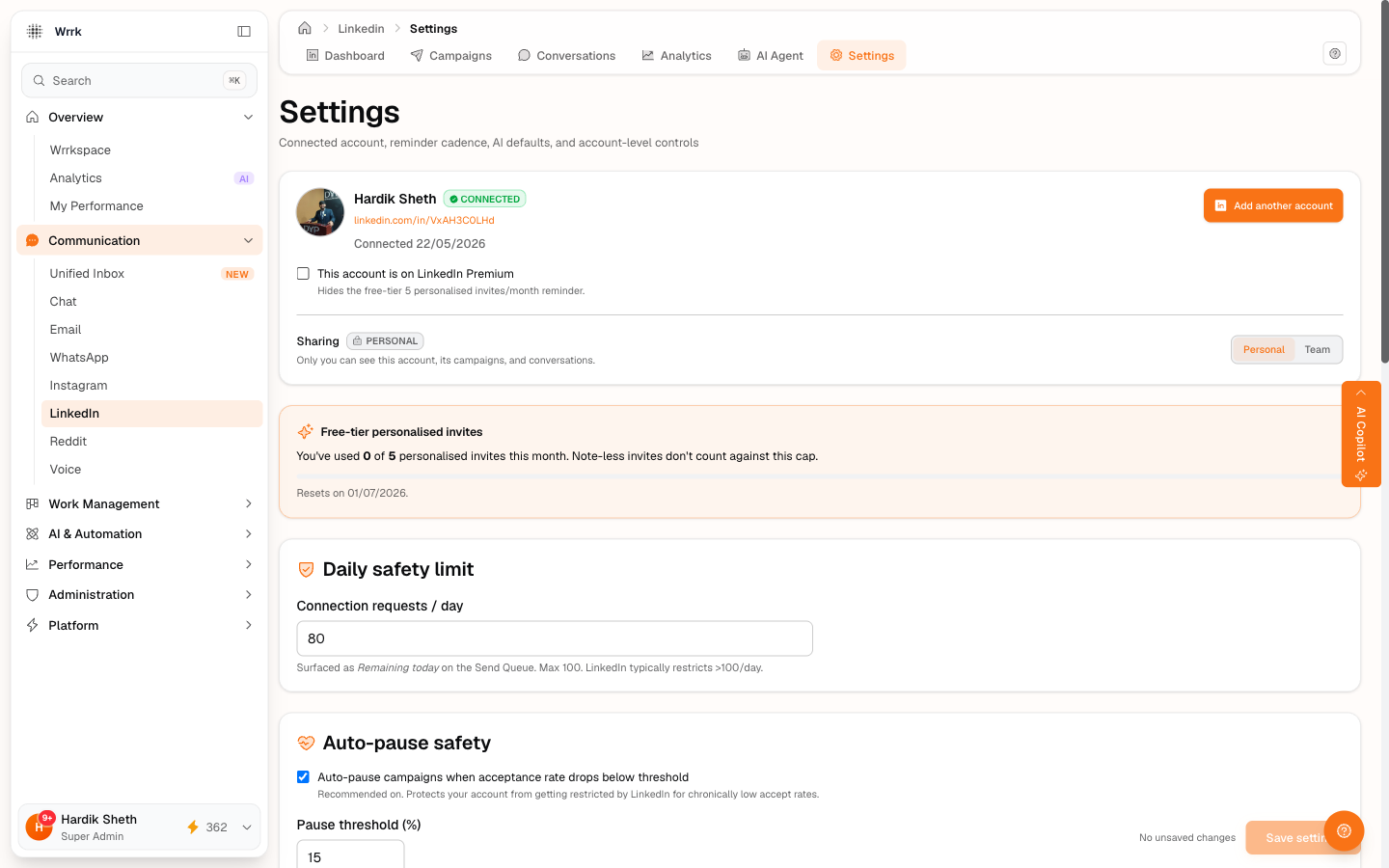
Open LinkedIn → Settings in the sub-nav and set the following:
- I'm on LinkedIn Premium: tick this only if your LinkedIn plan is actually Premium. Untick it for free accounts. wrrk uses this flag to decide whether to show the free-tier "5 personalized invites/month" warning on every invite.
- Working hours (start / end / timezone), currently advisory. wrrk doesn't auto-throttle by these yet, but set them correctly for when future automation paths come online.
- Min / max delay between actions: same: advisory in manual mode.
- Auto-pause if acceptance rate drops below %: default 30%. This is the only setting that actively fires in manual mode. If your acceptance rate falls below this threshold (after a meaningful sample of ~10 invites), every running campaign on this account auto-pauses and you get a toast warning.
- Pause on weekends: checkbox.
What "Connect" actually does
wrrk stores an OAuth token from LinkedIn so it can read profile metadata. It does not get permission to send invites or messages on your behalf, LinkedIn doesn't expose a send API at our tier. Every outreach action is a deliberate click in your own browser. wrrk drafts the content and tracks confirmations; you do the sending.
Tags
Related Articles
Create your first LinkedIn campaign
Fill the create form: name, account, product description, objective, connection note, booking link. Use AI to draft fields, grounded in your org profile.
LinkedIn free vs Premium, what changes for outreach
Free accounts cap personalized invites at 5/month. Tick the Premium checkbox in Settings to suppress the warning.