Navigating the Wrrkspace Dashboard
A tour of the Wrrkspace dashboard, sidebar navigation, and command bar.
Navigating the Wrrkspace
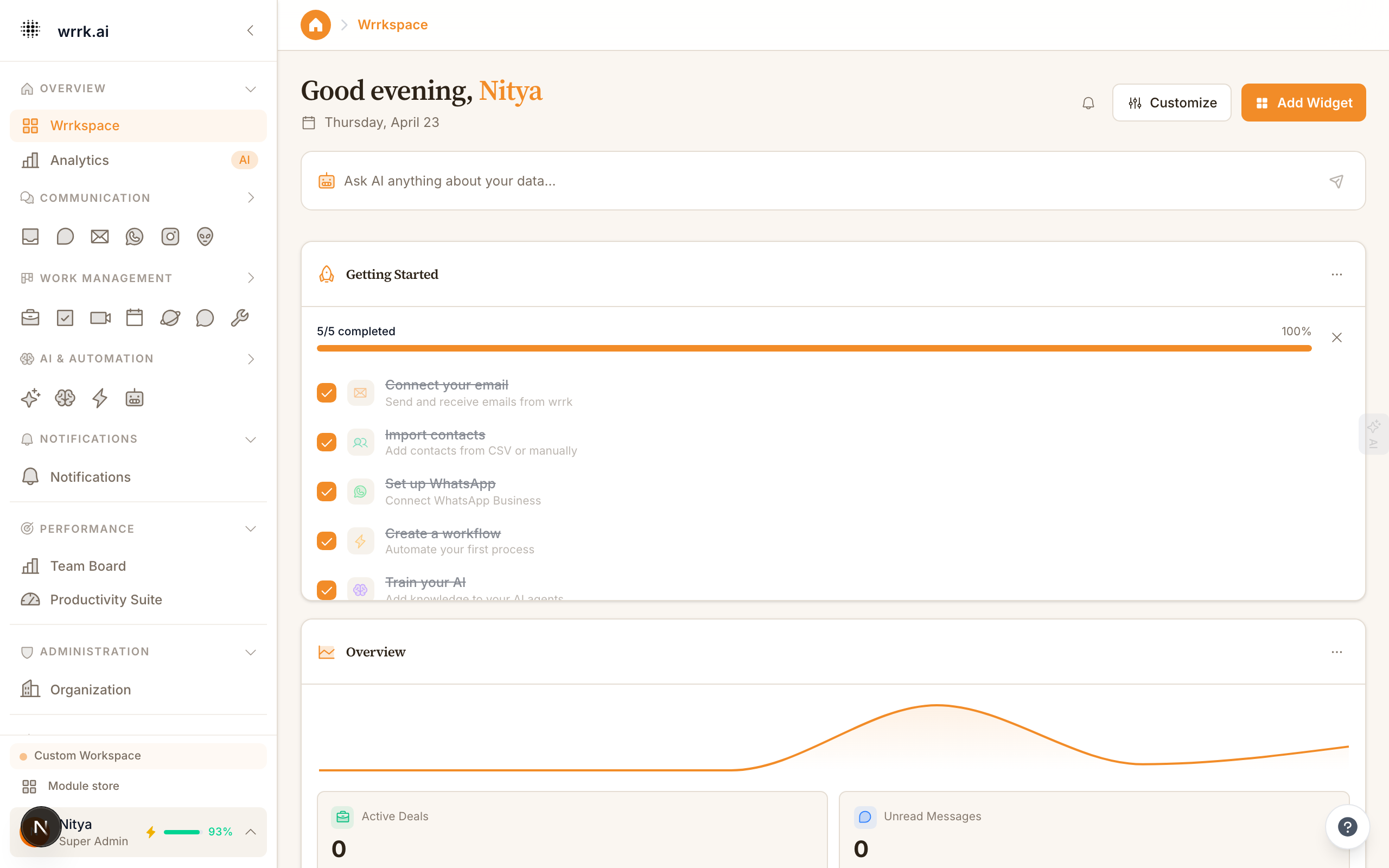
The Wrrkspace is your home base in wrrk. It provides a bird's-eye view of everything happening across your organization.
Dashboard Layout
The Wrrkspace dashboard is divided into several sections:
Activity Feed: A real-time stream of recent events: new messages, deal updates, task completions, and team activity. Click any item to jump directly to the relevant module.
Key Metrics: At-a-glance numbers including open conversations, active deals, pending tasks, and response time averages. These update in real time.
Quick Actions: Shortcut buttons for common tasks like composing an email, starting a WhatsApp conversation, creating a contact, or building a workflow.
Module Cards: Each connected module (Email, WhatsApp, CRM, etc.) has a summary card showing recent activity and pending items.
Sidebar Navigation
The left sidebar organizes all wrrk modules into categories:
- Overview: Wrrkspace and Analytics
- Communication: Unified Inbox, Chat, Email, WhatsApp, Instagram, Reddit
- Work Management: CRM, Tasks, Meetings, Calendar, Spaces, Discussions, Tools
- AI & Automation: AI Command Center, Workflows, Chatbots
- Administration: Organization settings, user management
Click any item to navigate. The sidebar collapses for more screen space, use the arrow button at the top.
Command Bar
The thin bar at the very top of the screen is the Command Bar. Press Cmd+K (Mac) or Ctrl+K (Windows) to open the command palette, which lets you quickly search for contacts, navigate to pages, or trigger actions without touching the mouse.
Customizing Your Dashboard
You can customize which module cards appear on your Wrrkspace from Settings > Dashboard Configuration. Drag and drop to reorder, or toggle modules on and off.
Tips
- Pin frequently-used modules to the top of the sidebar for quick access.
- Use keyboard shortcuts to navigate faster (see Settings > Keyboard Shortcuts).
- The Analytics page offers deeper insights with charts and trends.
Tags