User Guide
Updated 2026-09-21
Connecting Email Accounts
Connect Gmail, Outlook, or custom IMAP email accounts to wrrk.
Connecting Email Accounts
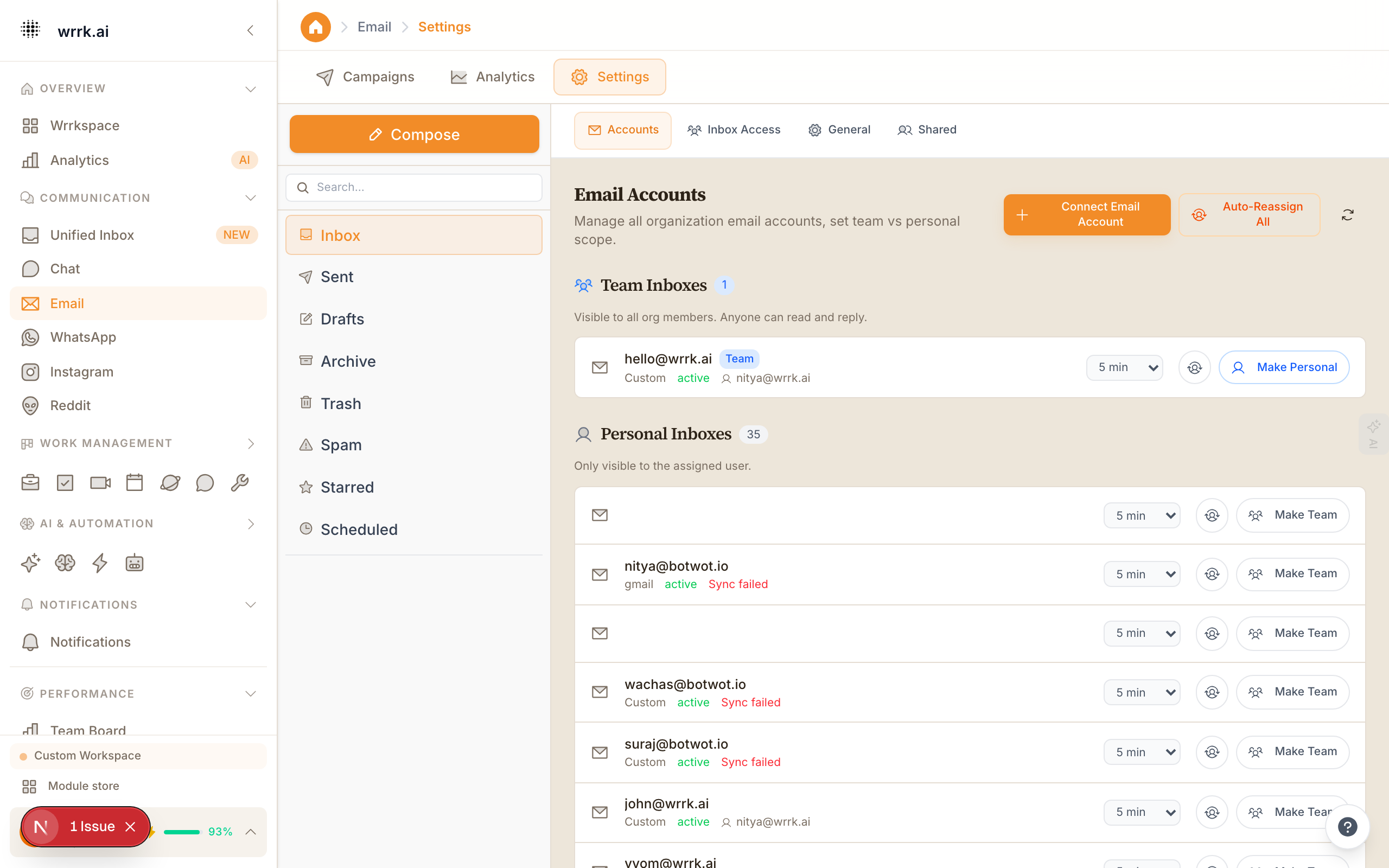
wrrk lets you manage all your email from within the platform. Connect one or multiple email accounts and handle everything from a single interface.
Supported Providers
- Gmail: OAuth-based connection (recommended). No passwords stored.
- Microsoft Outlook / Office 365: OAuth-based connection.
- Custom IMAP/SMTP: Works with any email provider that supports IMAP.
Step-by-Step: Gmail
- Go to Email in the sidebar, or navigate to Settings > Integrations > Email.
- Click Add Account and select Gmail.
- Sign in with your Google account and grant wrrk permission to read, send, and manage email.
- wrrk will begin syncing your inbox. Recent emails (last 30 days) are imported first.
- New emails will appear in real time going forward.
Step-by-Step: Custom IMAP
- Click Add Account and select Custom IMAP/SMTP.
- Enter the following details:
- IMAP Server: e.g., imap.example.com
- IMAP Port: typically 993 (SSL) or 143 (STARTTLS)
- SMTP Server: e.g., smtp.example.com
- SMTP Port: typically 465 (SSL) or 587 (STARTTLS)
- Username: your full email address
- Password: your email password or app-specific password
- Click Test Connection. If successful, click Save.
Multiple Accounts
You can connect as many email accounts as your plan allows. Each account appears as a separate option when composing emails, and incoming messages are labeled by account.
Sync Settings
- Sync frequency: Real-time via IMAP IDLE (push) for supported providers, or every 60 seconds for polling.
- Historical import: Last 30 days by default. Contact support if you need a deeper import.
- Attachment handling: Attachments are stored securely and accessible from the email viewer.
Troubleshooting
- "Authentication failed": For Gmail, revoke and re-grant access. For IMAP, verify your password and check for 2FA/app password requirements.
- Missing emails: Check your spam/junk folder in the original provider. wrrk does not sync spam by default.
- Send failures: Verify your SMTP settings and ensure your provider has not rate-limited your account.
Tags
emailgmailoutlookimapsmtpsetup