Chatbot Overview
Deploy AI-powered chatbots on your website, WhatsApp, or internally.
Chatbot Overview
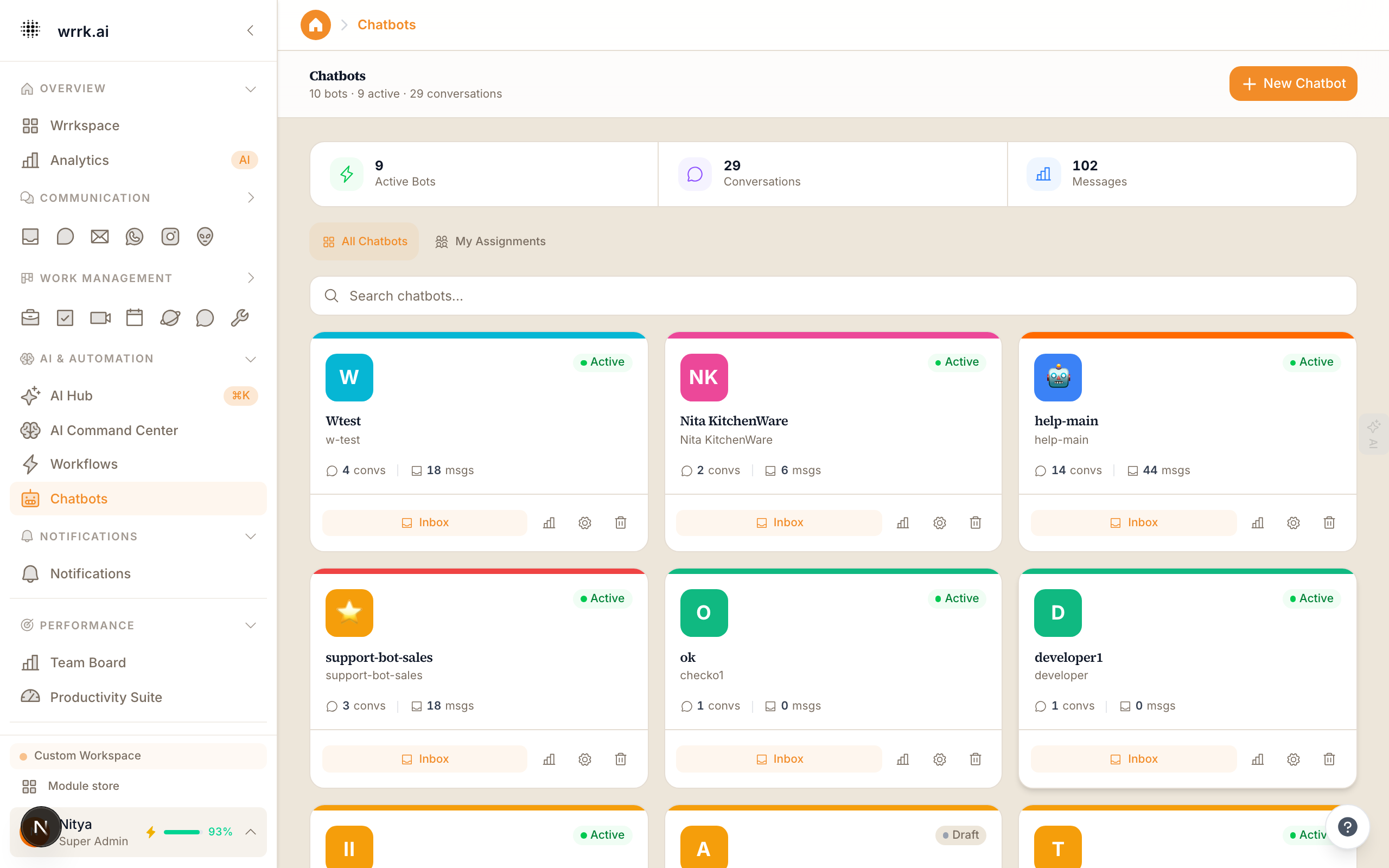
wrrk chatbots are AI-powered conversational agents that you can deploy on your website, WhatsApp, or other channels. They handle customer questions, qualify leads, and route complex issues to human agents.
What Can Chatbots Do?
- Answer FAQs: Train your chatbot on your knowledge base to answer common questions automatically.
- Qualify Leads: Ask qualifying questions and capture contact information before routing to sales.
- Book Appointments: Integrate with your calendar to let customers schedule meetings.
- Process Orders: Guide customers through order placement or status checks.
- Provide Support: Handle tier-1 support tickets and escalate when needed.
Chatbot Types
Website Widget: A chat widget that appears on your website. Visitors can ask questions without leaving the page.
WhatsApp Bot: Automates responses on your WhatsApp Business number. Uses the WhatsApp AI agent under the hood.
Internal Bot: Available within wrrk's chat module for internal team queries (e.g., HR FAQ bot).
Creating a Chatbot
- Go to Chatbots in the sidebar.
- Click New Chatbot.
- Choose the deployment channel (Website, WhatsApp, or Internal).
- Name your chatbot and write a greeting message.
- Configure the knowledge base (upload documents, add FAQs, or connect to your help center).
- Set escalation rules (when to hand off to a human).
- Customize the appearance (for website widgets: colors, position, avatar).
- Click Deploy.
Knowledge Base
The chatbot's knowledge base determines what it can answer. You can populate it with:
- Documents: Upload PDFs, Word docs, or text files.
- URLs: Point to web pages that the chatbot should reference.
- FAQ Pairs: Manually define question-answer pairs.
- CRM Data: Let the chatbot access contact and deal information (with appropriate permissions).
Monitoring
View chatbot performance at Chatbots > Analytics:
- Total conversations handled
- Resolution rate (without human escalation)
- Customer satisfaction score
- Most common topics
- Average conversation duration
Tags
Related Articles
Training Your Chatbot
Train your chatbot with documents, URLs, FAQs, and conversation review.
Customizing the Chat Widget
Embed and customize the wrrk chat widget on your website.
Chatbot ↔ CRM Integration
How chatbots pull CRM context to personalize replies and push captured leads back into the CRM.
WhatsApp AI Agent
Set up and configure the AI-powered WhatsApp agent for automated responses.