Reading your email reputation dashboard
Understand what the four ISP gauges, 30-day trend chart, and pause banner on the reputation dashboard mean, and what to do when the numbers drift.
Reputation dashboard
The reputation dashboard in Email Warmup → Deliverability insights shows how major ISPs are receiving your email. Healthy reputation = inbox placement. Damaged reputation = spam folder, even with perfect DKIM and SPF.
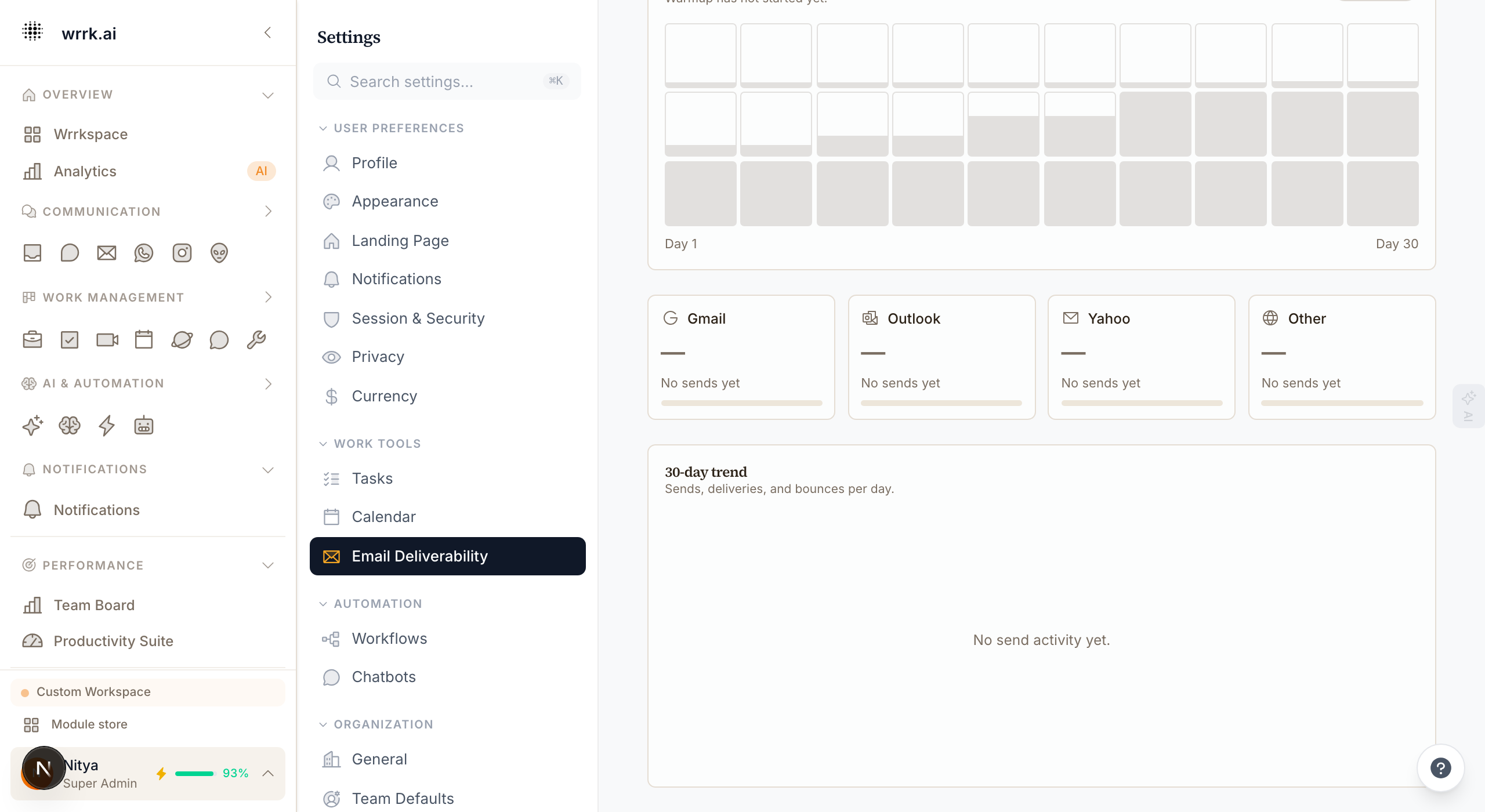
The four gauges
Each ISP has a delivery gauge:
- Gmail: covers Gmail, Google Workspace. The most important one for most customers (largest share of recipient inboxes).
- Outlook: covers outlook.com, hotmail.com, live.com, and Microsoft 365 tenants.
- Yahoo: covers yahoo.com, ymail.com, rocketmail.com, AOL.
- Other: everything else (iCloud, Fastmail, ProtonMail, corporate MX).
The gauge shows the delivered rate: emails accepted at the SMTP handshake and not bounced. An inbox-vs-spam breakdown requires seed testing (see below).
The 30-day trend chart
A line chart showing sent / delivered / bounced / complained per day for the last 30 days. Useful for catching regressions early:
- Sudden bounce spike → stale list or a spam-trap hit.
- Sudden complaint spike → your content shifted (new sender, new subject template, overly promotional copy).
- Delivered rate drifting down over weeks → domain reputation slowly degrading.
What's a good number?
Gmail's publicly stated thresholds:
| Metric | Healthy | Warning | Critical |
|---|---|---|---|
| Bounce rate | <2% | 2–3% | >3% |
| Complaint rate | <0.1% | 0.1–0.3% | >0.3% |
wrrk's circuit breaker fires if bounce rate > 3% or complaint rate > 0.1% over the last 1,000 sends, the campaign is paused automatically and you get a Slack alert (if configured).
What causes reputation problems?
List hygiene: sending to people who never opted in, or to addresses you bought, scraped, or imported from a stale CRM. Old lists have spam traps; hitting 2–3 of them in a campaign tanks your reputation for weeks.
Content: subject lines with FREE in caps, lots of exclamation points, mismatched display names ("Bank of America" from you@example.com), image-only emails with no plaintext alternative.
Cadence: going from 50 emails a month to 5,000 in a week, even to a clean list. ISPs see volume spikes as spammer behavior. This is why warmup exists.
Authentication failures: DKIM failing on 20% of sends because one of the CNAMEs drifted, or SPF with too many lookups (max 10 per RFC 7208).
When the dashboard shows "No data yet"
Fresh domain, no sends yet. Send a campaign (respecting warmup cap), wait 1–2 hours, and the gauges populate. VDM (Virtual Deliverability Manager) aggregates metrics on a lag.
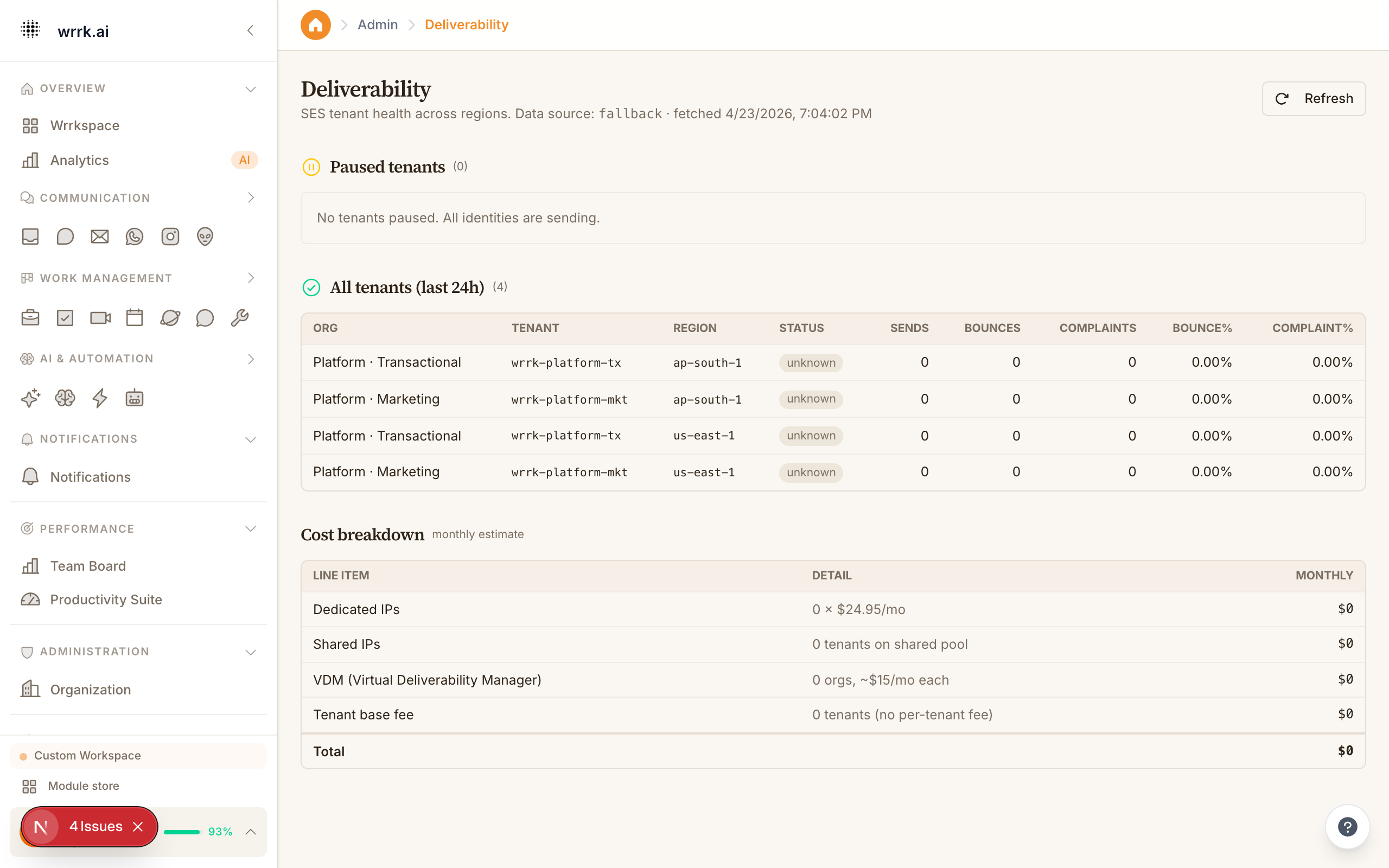
Paused tenants
If your tenant was paused by SES (because bounce/complaint thresholds were exceeded platform-wide), a red banner appears at the top of the dashboard. Admins can request an unpause from /admin/deliverability once you've cleaned your list and addressed the root cause.
Tags
Related Articles
Set up your sending domain (DKIM, SPF, DMARC)
Configure DKIM, SPF, and DMARC records so Gmail, Outlook, and Yahoo trust email sent from your domain through wrrk.
Sending limits and ramp-up
Understand mailbox sending limits, provider caps, pauses, and the current deliverability settings surface.
Seed placement testing, will my campaign hit the inbox?
Run deployment-configured seed tests to inspect inbox, promotions, spam, and missing placement.